CyberPanel Review 2026: Features, Security & Guide

CyberPanel Engineering & Operational Maturity Metrics
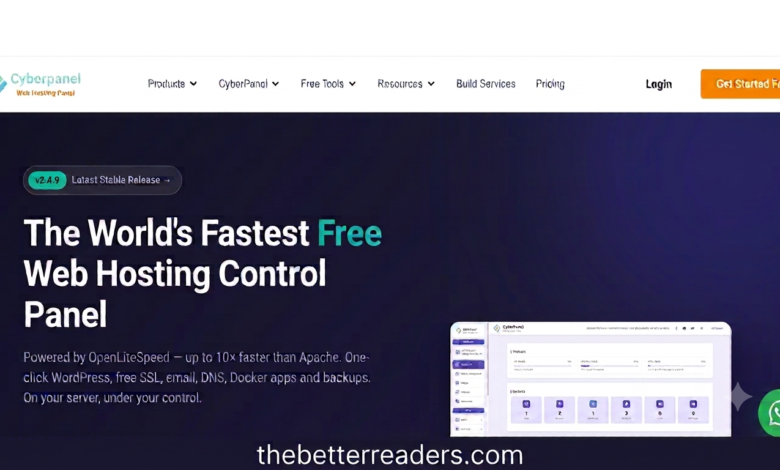
Established in 2017, CyberPanel has built 9 years of active open-source development authority. Driven by OpenLiteSpeed server technology, it offers developers high-throughput web hosting, automated SSL, and complete staging control without per-domain licensing fees.
CyberPanel Review reveals that selecting a web hosting management system is one of the most critical structural decisions for system administrators, agencies, and web developers. Server infrastructure performance impacts user retention, Core Web Vitals, and search engine visibility. For over a decade, hosting providers relied heavily on legacy control panels like cPanel. However, continuous licensing fee hikes forced webmasters to seek faster, more cost-effective server management platforms. Among the rising competitors, CyberPanel stands out by combining enterprise-grade speed with an open-source framework.
In this extensive CyberPanel Review, we explore how its OpenLiteSpeed core foundation redefines server management. By removing heavy memory overheads and offering automated tools right out of the box, it delivers a high-speed hosting experience tailored for high-traffic WordPress websites, cloud platforms, and developer staging environments.
“By natively marrying OpenLiteSpeed event-driven architecture with built-in LSCache, server administrators achieve sub-second page loads without paying premium monthly software licensing fees.”
Core Architectural Advantages & OpenLiteSpeed Engine
The cornerstone of CyberPanel’s performance lies in its underlying web server engine. Traditional platforms default to Apache, which creates a separate execution thread for every incoming HTTP connection. Under heavy web traffic, this process-driven model consumes massive amounts of RAM and CPU power, slowing down server responsiveness.
Our technical CyberPanel Review highlights how OpenLiteSpeed solves this bottleneck through asynchronous, event-driven processing. It manages thousands of concurrent web HTTP requests within a single process thread, keeping resource usage extremely low while maintaining rapid response times.
1. Integrated LSCache Module & Object Caching
Unlike standard hosting setups that rely on third-party caching plugins, CyberPanel connects directly to LiteSpeed’s server-level caching engine (LSCache). It supports automatic object caching via Redis and Memcached, dynamic page purge rules, inline CSS/JS minification, and on-the-fly WebP image compression natively from the server dashboard.
2. Graphical Docker Container Orchestration
Modern cloud developers require flexibility beyond simple PHP hosting. CyberPanel includes an integrated Docker container manager that lets users search Docker Hub, set up isolated container environments, map network ports, and deploy microservices or Node.js/Python applications directly from a visual web interface.
3. One-Click Automated WordPress Staging
Testing plugin updates, layout modifications, or custom code on live production websites risks downtime. CyberPanel offers an automated staging tool that creates an exact clone of your WordPress site on a isolated subdomain, allowing risk-free testing before pushing updates back to live production with one click.
4. Multi-PHP Version Management
Hosting legacy web software alongside modern applications can cause system conflicts. CyberPanel supports side-by-side installations of PHP 7.4 through PHP 8.3+. System administrators can assign different PHP execution versions to individual domain names on the exact same VPS instance seamlessly.
Security Infrastructure & Automated Hardening
Website security is a fundamental requirement for modern web applications. CyberPanel provides robust enterprise security protocols out of the box to safeguard servers against malicious brute-force attacks, DDoS attempts, and unauthorized access.
- Automated Let’s Encrypt SSL: CyberPanel handles SSL issuance and automatic renewals natively. Primary domains, subdomains, and mail services receive Wildcard SSL certificates automatically.
- ModSecurity Web Application Firewall (WAF): Includes pre-configured OWASP core security rule sets to block cross-site scripting (XSS), SQL injections, and malicious bot activity automatically.
- CSF & Firewalld Integration: Manage server port access, IP banning, and brute-force mitigation directly through the web GUI without using complex SSH command lines.
- Containerized Client Isolation: Every hosted domain runs inside isolated account environments, preventing cross-site infection if a single client site gets compromised.
Backup Management & Cloud Synchronization
Disaster recovery is essential for web publishers. Our real-world CyberPanel Review evaluates its built-in automated backup utilities designed to protect your databases and files against unexpected hardware failures:
Automated Remote Offsite Sync Options:
- Google Drive Integration: Link your Google Cloud API key to sync site snapshots and database backups directly to cloud storage.
- AWS S3 & DigitalOcean Spaces: Store encrypted incremental backups in scalable, highly available S3 object storage buckets.
- Remote SFTP / SSH Servers: Configure cron jobs to transfer compressed server backups to secondary remote Linux backup nodes automatically.
CyberPanel vs Legacy Hosting Control Panels
Understanding why web hosting providers are adopting this platform requires comparing its technical features against standard hosting solutions:
| Metric | CyberPanel | cPanel | aaPanel / Hestia |
|---|---|---|---|
| Web Server Core | OpenLiteSpeed / Enterprise | Apache (Default) | NGINX / Apache Stack |
| Software Licensing | 100% Free (Unlimited Domains) | Paid Monthly Per-Account Fee | Free Open Source |
| Server Caching Engine | Built-in Native LSCache | Requires Third-Party Plugins | FastCGI Cache / Redis |
| Docker GUI Management | Fully Integrated Container Manager | Limited Cloud Support | Manual Shell Configuration |
For official setup documentation and server requirements, consult the Official CyberPanel Documentation. You can also explore The Better Readers Hosting Guides for more in-depth Linux server tutorials.
Installation & Initial Server Setup Workflow
Installing CyberPanel on a clean virtual private server (VPS) requires root SSH access and a fresh installation of Ubuntu or AlmaLinux operating systems:
- Server Provisioning: Deploy a clean VPS instance running Ubuntu 22.04 LTS or AlmaLinux 9 with at least 1 GB RAM (2 GB recommended).
- Establish SSH Connection: Open your terminal or PuTTY client and connect to your server using root access credentials.
- Run Automated Installer: Execute the official installer command:
sh <(curl https://cyberpanel.net/install.sh || wget -O - https://cyberpanel.net/install.sh) - Select Components: Choose OpenLiteSpeed (Option 1), configure MySQL root credentials, and enable PowerDNS, Memcached, and Redis services.
- Access Administrative Panel: Once installation completes, log in securely via your browser at
https://your-server-ip:8090.
Frequently Asked Questions (FAQs)
Q1: What is the main key takeaway from this CyberPanel Review?
Our CyberPanel Review confirms that it provides the most powerful, high-speed, and cost-effective free hosting control panel available for Linux cloud servers.
Q2: Is CyberPanel free for unlimited websites and domain names?
Yes, the OpenLiteSpeed version of CyberPanel is 100% free and open-source, allowing you to host unlimited websites without domain fees.
Q3: How does CyberPanel compare to cPanel in terms of hosting speed?
Because CyberPanel utilizes OpenLiteSpeed and native LSCache, it delivers faster Time to First Byte (TTFB) and handles higher concurrent traffic loads than traditional Apache-based cPanel setups.
Syeda
Syeda is an experienced Global Link Building Specialist and Senior Content Editor specializing in off-page Search Engine Optimization, digital brand authority, and comprehensive web domain audits. With years of experience optimizing multi-niche websites and guest editorial campaigns, she delivers data-backed digital content strategies that drive measurable organic growth.